Very often, we need to deal with data in a “raw” format that, if displayed directly to the user, it makes little sense to them. This kind of data includes a date timestamp, the number of bytes in a big file, or numbers with no rounding a bunch of decimals. There is a lot of data like this, and we need to be able to format it and show it to the user.
On WWDC2019, Apple decided to fork iOS into two different operating systems: iOS for iPhones, and iPadOS for iPads. This is to recognize the iPad as its own independent entity that has its own set of features compared to iOS. Amongst those features, iPadOS adds Multiwindow support, which allows our apps to run in more than one Window at the same time.
What exactly is Multi-window support, and how does it work?
iOS 9 introduced the Slide Over and Split Screen features for iPad, which allowed us to run two different apps side by side at the same time. Multi-window support on iPadOS allows you to do this with two windows of your own app, and more.
Error handling when expecting a result out of an operation is a very common thing to do. For this reason, various high-level programming languages have introduced a Result type into their libraries, on top of their existing error-handling features. This feature was implemented in Swift 5.
A Result wraps a success or a failure. It is essentially an enum with two possible cases: .success and .failure. The .success case wraps the correct result of an operation, whereas a .failure wraps an Error. Its implementation uses generics, so you always know what you are going to get back.
If you have been programming for Apple platforms for a while, chances are you have seen (or maybe even wrote yourself) a line of code that looks like this:
Whether you wrote it yourself or someone else did it, one thing is clear: This is not a safe way to build URLs. Can you know, for sure, that your URL is actually valid? Intuitively, all of us can see a URL and see if it’s valid, but there is a whole lot of governing in the URL format that at some point we may find funny URLs that look valid and aren’t, or the other way around; they look invalid, but aren’t.
When we are working with apps on iOS, iPadOS, macOS, watchOS, or TVOS, it’s possible that at some point we will have to store and retrieve a lot of temporary data throughout the lifecycle of our software. Depending on our needs, we may need to cache data on disk and manually manage it ourselves, or we may only need it to cache it in memory. In the case of the latter, Apple offers NSCache, a mutable collection that lets us cache files in memory using key-value pairs.
The original title for this article was posted on my old website in 2012 and it was titled “Multithreading on iOS And Mac OS X Using NSOperations”. The original examples were written in Objective-C. This article has been rewritten from scratch not only to give the examples in Swift, but also to improve the quality of the old article. It has been shortened, and both language and tone have been revised.
Discontinued project, but a new version is in the works. Developed in 2014.
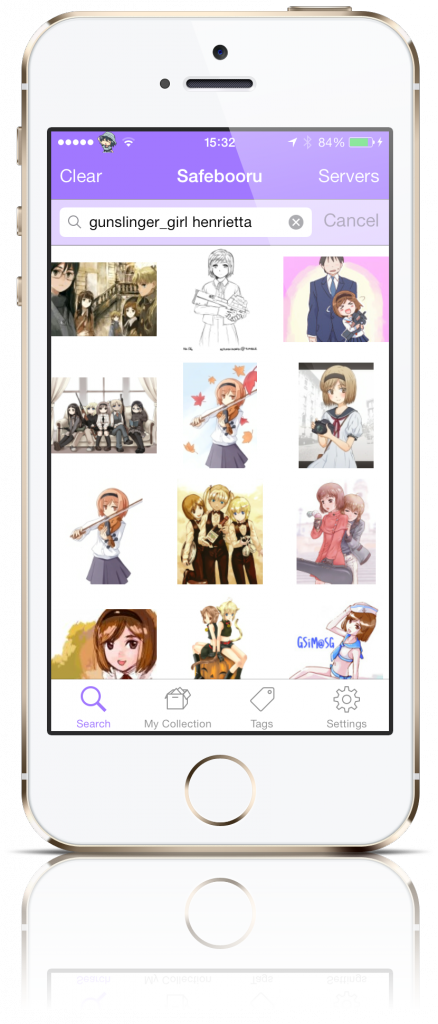
Mignori is a mobile client to use with -booru or -booru based sites (Gelbooru and Danbooru, to name a few).
A -booru imageboard is simply a board where people post pictures and tag with them relevant attributes. This allows other users to search for images in these boards and find images with the qualities they’re looking for.
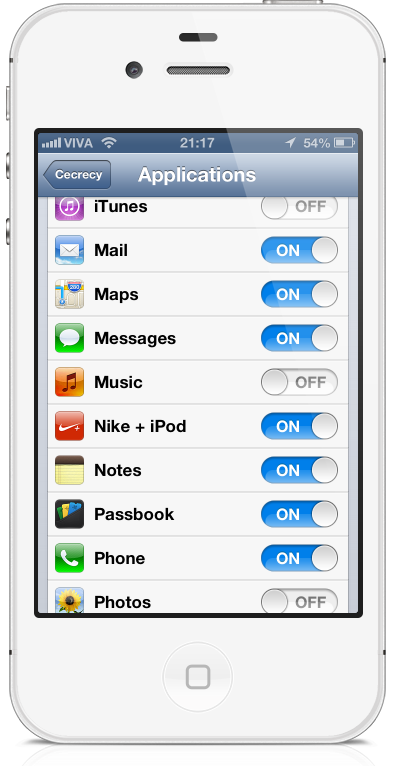
If you want to protect app data from your friends or family that are constantly asking for your iDevice, there are a couple of things you can do: You can tell them not to enter certain apps, empowering their curiosity and therefore exposing your private data, or you can passcode-lock certain apps, which if they see, they will just wonder what you’re hiding that they can’t see.
A friend of mine had his hardware ringer of his phone die on him. Because of that, toggling the ringer on and off was quite a chore for him. Without installing SBSettings or anything equivalent to that, he had to go to the settings app and toggle the ringer on and off there.
So he asked me to write an icon on SpringBoard that would toggle the ringer. And here it is. It’s a really, really simple tweak. In developer circles it probably isn’t worth anyone’s time. But anyway, I decided to release to the public and here it is.